Leading Solution for Requirements Management and Traceability
The world’s most innovative companies use Jama Connect to manage requirements with Live Traceability™ to improve quality, reduce rework, prove compliance, and get to market faster.
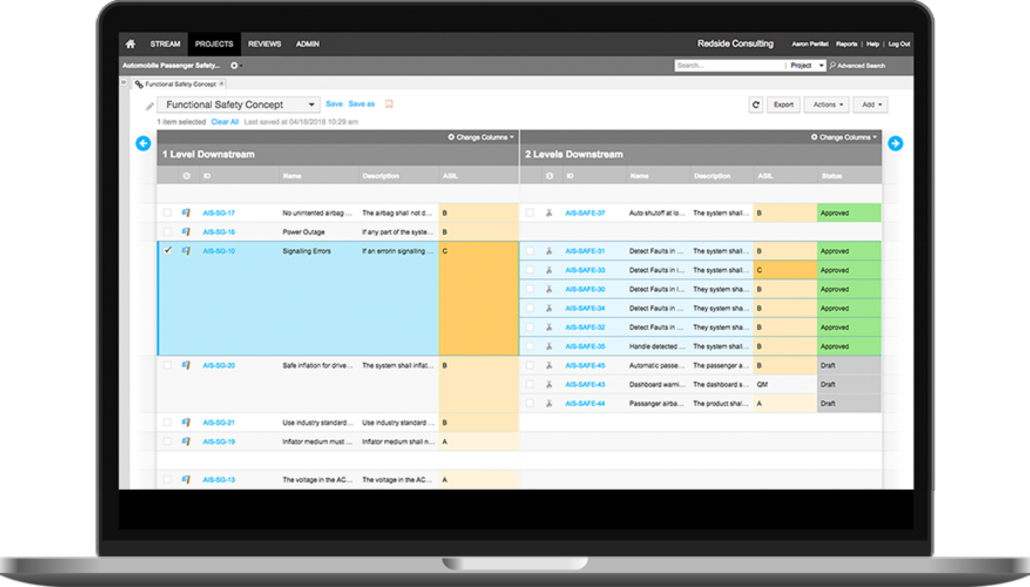
We help solve the key challenge engineers face—complying with traceability requirements spanning siloed teams and tools in complex product, systems, and software development. Jama Connect® eliminates relying on email updates, inefficient design reviews, cumbersome data sharing, and quickly outdated spreadsheet-based collaboration. With Jama Connect, engineering teams can:

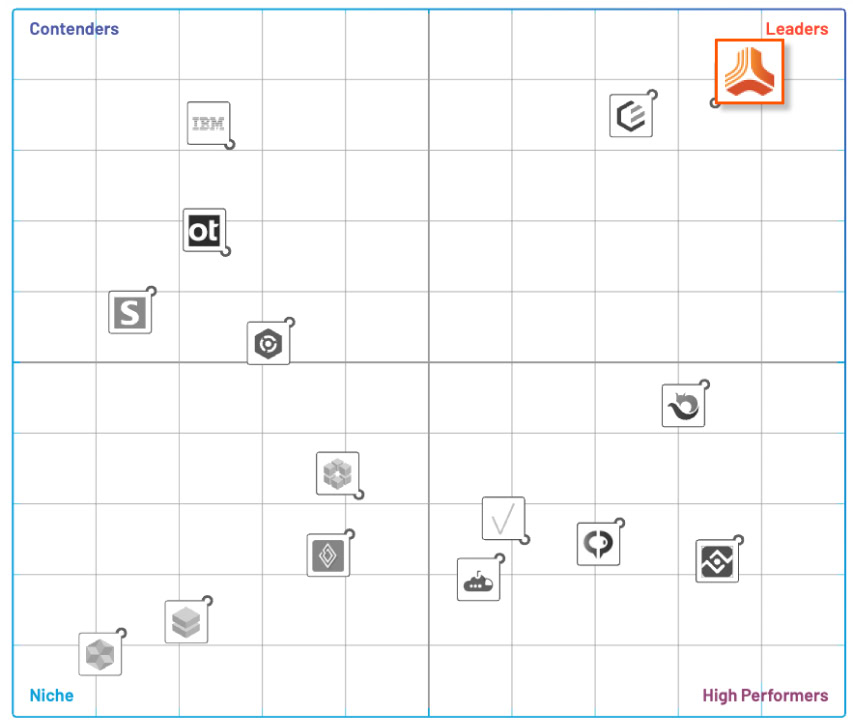

Eliminate manual compliance efforts and significantly reduce product delays, rework, and cost overruns with frameworks and templates aligned to industry standards. And live requirements traceability through siloed development, test, and risk activities provides end-to-end compliance, risk mitigation, and process improvement.

Manage design controls for device requirements and related risks on a single, powerful platform.
ISO 13485, FDA 820.30, FDA 21 CFR part 11, ISO 14971, IEC 60812 , SEBoK

Simplify functional safety and improve development cycles across a complex supplier ecosystem.
ISO 26262, ASPICE, IEC 60812, SEBoK

Streamline complex safety-critical product development and accelerate time-to-market for air, space, sea, and defense systems.
ARP 4754/ED-79, DO-178C/ED-12C, DO-254/ED-80, SEBoK

Align stakeholder and business analyst requirements without slowing down Agile. Connect teams and projects, with a unified solution for requirements and tests.
Agile, SAFe®, BABOK®

Enable compliant, integrated product development across hardware and software teams. Supports manufacturers of industrial machinery and equipment.
IEC 60812, ISO 13485, SEBoK
Jama Software supports the needs of our customers by providing a purpose-built solution and services that help teams streamline processes so they can spend more time on innovation.

High adoption through an easy, intuitive, modern user experience

Open architecture that allows for integrations with a range of premium, solutions across the full ALM-PLM tool ecosystem

Superior customer support and services teams with industry-specific expertise


We offer a full range of consulting, implementation, and training services that are designed to speed adoption and facilitate your long-term success. We provide high-velocity onboarding to get your teams using Jama Connect quickly. Frequent check-ins and optimizations with our consulting experts keep your teams on track to realize the full return on your investment in Jama Connect. If your team needs specific technical tailoring, our technical services can offer API extensions & custom exports to suit your needs.
24×7 global support with customer service teams localized to the US and EU. Additionally, we offer support programs for customers that scale from simple to large and complex user bases who are concerned about scale and efficiency across their organization. An Elite Support program offers a dedicated technical resource, additional advocacy and closer partnership within Jama. These support programs scale to ensure optimal success of your deployment and overall experience. Learn more
Get global best practices and industry certifications through our vibrant, online network of fellow engineers and developers ready to share tips and tricks. Learn more
Protecting our customers’ data is our highest priority. We code with Open Web Application Security Project (OWASP) best practices, host in a secure AWS cloud, perform daily static and dynamic scans, regular PEN tests (third-party), and are SOC 2 Type 2 certified. Jama Software is the only vendor in the requirements management and traceability space that is SOC 2 Type 2 compliant both on the application layer and the data center offerings. Additionally, Jama Connect is the only requirements management solution that is deployed via multi-tenant cloud.

Suitably validated by TÜV SÜD for safety-related development per IEC 62304

Jama Software® codes with OWASP best practices

Jama Connect is SOC2 Type 2 certified in both the server and application

Ensures strong privacy management practices

Transport Layer Security (TLS) ensures data transferred is secured and encrypted

Interested in learning more about how Jama Connect can help your organization achieve its goals? The Jama Connect Discovery Center lets you control your knowledge journey and get your questions answered, all at your own pace. We’ve put our most relevant and valuable content —from discovery to optimization—right at your fingertips!
Connect with us or check out our features page to dive into the details!